
Add Basic Information - General
Modified on: 2025-08-25 16:42
Step 1. Select Basic Information in the left list of options and click the Edit button.

Step 2. On the General tab, add the hotel’s below information from your system.
| Required Field | Description |
|---|---|
| Chain | The name of the hotel chain |
| Brand | The name of brand |
| Property Name | The name of property |
| Property Status | Including Closed, Deflagged, Deleted, Open, Inactive, Locked, Pre-opening, Reactivated, Test, Unlocked |

Step 3. Click the Save button.
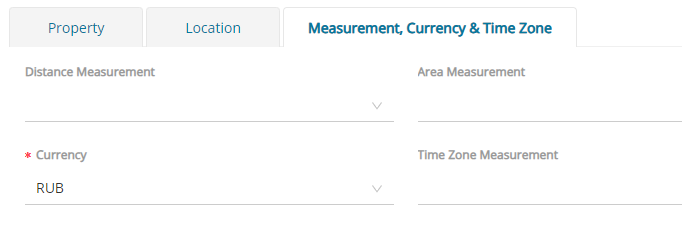
Step 4. Go to the Basic Information category’s Measurement, Currency & Time Zone tab and add the hotel’s Currency.
| Required Filed | Description |
|---|---|
| Currency | Choose the currency the hotel use |
Step 5. Click the Save button.
Did you find it helpful? Yes No
Send feedbackSorry we couldn't be helpful. Help us improve this article with your feedback.