
Add Basic Information - Classifications
Modified on: 2025-08-25 16:44
Step 1. Go to the Classifications page’s Location Classifications tab and click the Add button.

Step 2. Add the Location Category.
| Required Field | Description |
|---|---|
| Category Standard | Open Travel Standard or Lanyon Location. |
| Location Category | Defines the general location of the hotel such as airport, suburban, downtown. |

Step 3. Click the Save button.

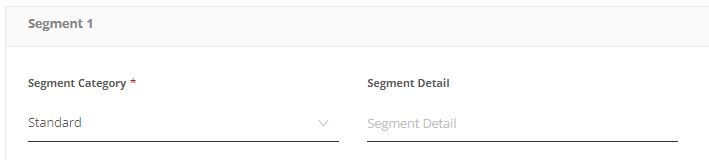
Step 4. Go to the Classifications page’s Segment Classifications tab and click the Add button.

Step 5. Add the Segment Category default.
| Required Field | Description |
|---|---|
| Segment Category | Defines the type of hotel such as luxury, extended stay, economy. |
Step 6. Click the Save button.

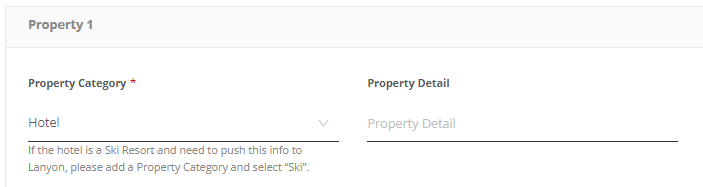
Step 7. Go to the Classifications page’s Property Classifications tab and click the Add button.

Step 8. Add the Property Category default.
| Required Field | Description |
|---|---|
| Property Category | Choose category |
Step 9. Click the Save button.

Did you find it helpful? Yes No
Send feedbackSorry we couldn't be helpful. Help us improve this article with your feedback.