
Add Amenities To New Rooms
Modified on: 2026-09-08 16:14
Step 1. After all rooms have been added, on the Guest Rooms category, go to the Room Amenities tab.

Step 2. If Amenities already exist at the property, click the amenity name, then look for the desired amenity.
- Select the existing amenity.
- Skip to Step 5.

Step 3. If no Amenities exist or the desired amenity is missing, then Create the room amenity for the property.
Step 4. Create the amenity.
| Required Field | Description |
|---|---|
| Amenity / Accessibility / Security | Choose one of them |
| Amenity | Choose type of amenity |
| Included in Rate | An indication if this amount is included in the rate, or is an additional cost. |
Step 5. Select the rooms that include this amenity or click the Select All option.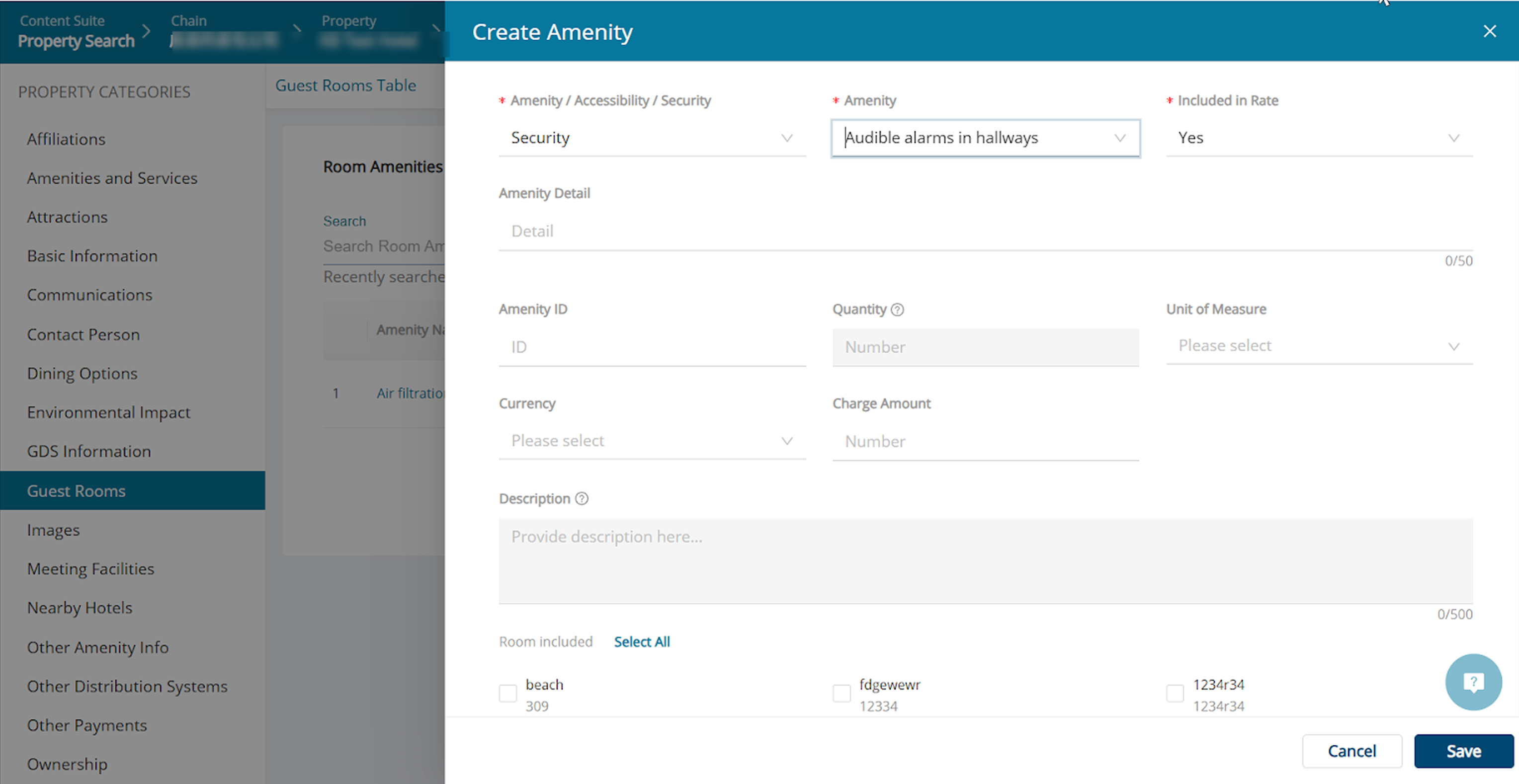
Step 6. Click the Save button.

Did you find it helpful? Yes No
Send feedbackSorry we couldn't be helpful. Help us improve this article with your feedback.